Saturday, October 29, 2011

Fusion Garage Grid 10 Dead Recovery

Grid 10 is a Nvidia Tegra II 1Ghz Dual Core based 10.1 inch Android device. It uses a clever customized Android OS called Grid OS. The base Wi-Fi-only model, with 16 GB of memory, costs $299, a full $200 less than the comparable Apple model. It gave users good experience with gesture controls. The latest firmware version is 1.00.37. Adobe Flash Player 11 can be installed and YouTube video plays very well .

When a black screen appears and likes dead, the power button has no effect. It may be due to a firmware crash. The customer support can be reached @ 1-855-822-5534 and a very good prompt help may be provided. Usually "holding reset and power button in the same time, and then restart" may solve the problem.


Friday, October 28, 2011

10 Attractive android tutorials for developers

ADMIN selected 10 Attractive android tutorials for developers who going to learn how to make applications for android:

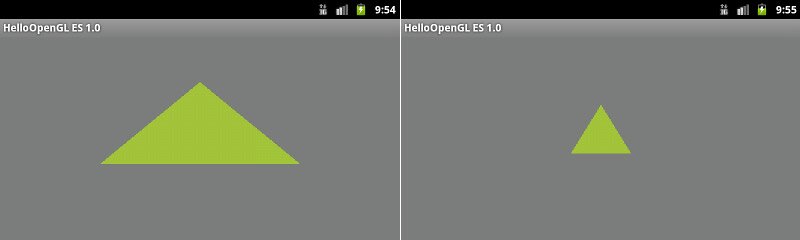
This tutorial shows you how to create a simple Android application that uses the OpenGL ES 2.0 API to perform some basic graphics operations.
OpenGL ES

2. Android Development Tutorial

This tutorial describes how to create Android applications with Eclipse. This is very long tutorial, but also most detailed.
Android Development Tutorial

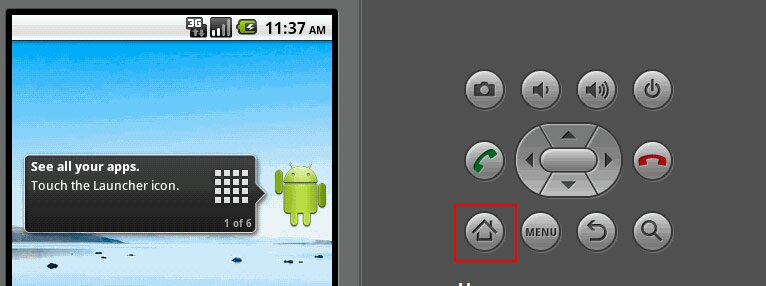
3. Android SDK Tutorial – Learn how to install Android SDK

Tutorial describes how to install the Android SDK and set up your development environment for the first time.
Android SDK Tutorial

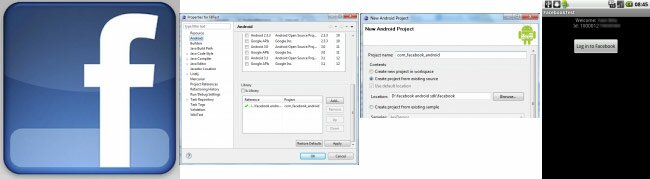
4. Using Facebook SDK in Android development

In this tutorial I show you an android application, which logging in to Facebook, then get the Facebook ID.
Using Facebook SDK

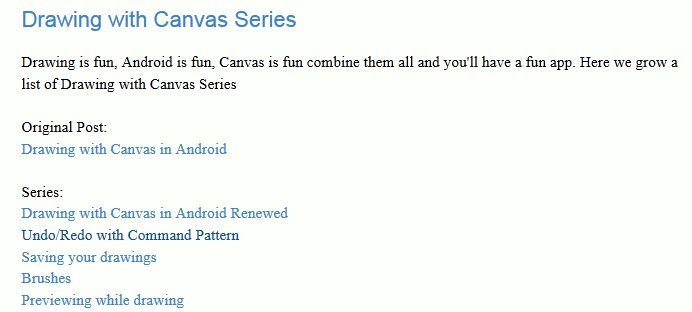
5. Drawing with Canvas in Android, Saving your drawings

This is one of tutorials from series of topics for drawing with canvas on android.
Drawing with Canvas

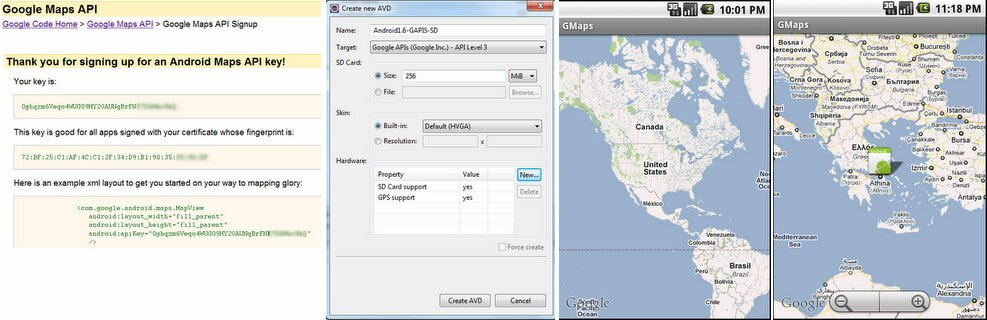
6. Android Google Maps Tutorial

In this tutorial we will see how to incorporate Google Maps into an Android app.
Android Google Maps Tutorial

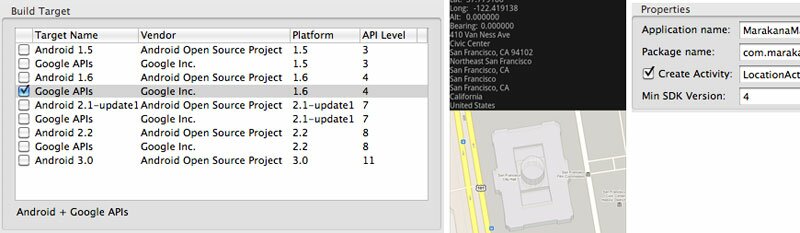
7. Android location service example

This tutorial will help you to start using location services (in particular: LocationManager class to get user location and Geocoder to translate location into addresses) and Google Maps on Android.
Android location service example

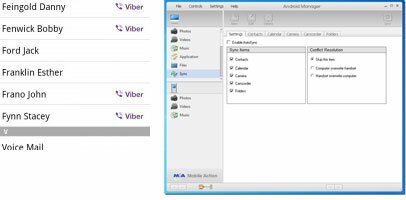
8. Working With Android Contacts

Learn to work with the Android contacts database. Basic knowledge of accessing SQLite in Android along with using Cursors is expected.
Working With Android Contacts

9. How to calculate the distance between two GPS coordinates?

A simple function that takes two GPS coordinates as input and outputs the distance between them in meter.

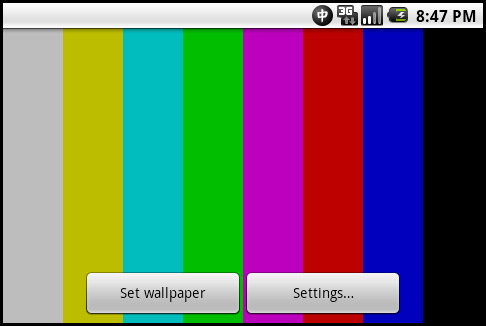
10. How To Create Android Live Wallpaper

In this article tells how to create live wallpaper from scratch. Step-by-step, we will create live wallpaper that would output TV test pattern on out home screen.
How To Create Android Live Wallpaper

I may add one to handle images in Android:

11. Working With Images In Android


Beagleboard-XM USB ADB on Windows

The following instructions to get USB ADB working on Windows:
  1. Download latest Android SDK, uncompress it in a local folder (i.e. c:\android), and add the full path to the tools\ directory to the system PATH
  2. Download Android USB Driver and uncompress it in a local folder (i.e. c:\android\usb_driver).
  3. Edit adb_usb.ini (or create and then edit if it doesn't already exist) file in
  • Windows XP: C:\Documents and Settings\your_name\.android
  • Windows Vista\7: C:\Users\your_name\.android
  • These locations can be accessed at the command prompt by typing 'cd %USERPROFILE%'
Add echo 0x18D1 > "%USERPROFILE%\.android\adb_usb.ini"

4. Edit android_winusb.inf in C:\Android\usb_driver_r03-windows to match EVM/Beagle vendor and product ids. Under [Google.NTx86] for 32 bit machine or [Google.NTamd64] for 64 bit machine section add:
;TI EVM   
%SingleAdbInterface%        = USB_Install, USB\VID_18D1&PID_9018   
%CompositeAdbInterface%     = USB_Install, USB\VID_18D1&PID_9018&MI_01
5. Boot the board as normal and wait until shell prompt is available (micro-B USB cable must be disconnected). Then connect micro-B USB cable between board and Windows PC.
6. If the device is detected automatically, install driver that was downloaded. Otherwise go to Windows Device Manager find the Rowboat device to update the driver.

There are lots of useful ADB shell commands which can run on UART window or Windows command line by "adb shell".
  • to copy a file or a directory recursively to emulator: adb push source destination
  • to copy a file or a directory recursively from emulator: adb pull destination source

Monday, October 24, 2011

Microsoft Two Extremes of Touch Interaction: OmniTouch and PocketTouch

OmniTouch turns any surface in the user’s environment into a touch interface. OmniTouch: Wearable Multitouch Interaction Everywhere—co-authored by Chris Harrison, a Ph.D. student at Carnegie Mellon University and a former Microsoft Research intern; Benko; and Andy Wilson—is a wearable system that enables graphical, interactive, multitouch input on arbitrary, everyday surfaces.


PocketTouch: Through-Fabric Capacitive Touch Input—written by Saponas, Harrison, and Benko—describes a prototype that consists of a custom, multitouch capacitive sensor mounted on the back of a smartphone. It uses the capacitive sensors to enable eyes-free multitouch input on the device through fabric, giving users the convenience of a rich set of gesture interactions, ranging from simple touch strokes to full alphanumeric text entry, without having to remove the device from a pocket or bag.

PocketTouch accommodates a variety of pockets

Thursday, October 20, 2011

TI Android GingerBread 2.3.4 DevKit 2.1 Product (GA) for BeagleBoard XM

This 092311 release package provides a Andorid GingerBread 2.3.4 DevKit(GA) distribution with integrated SGX (3D graphics) drivers, Adobe Flash 10 support, TI hardware abstraction for video overlay, WLAN, Bluetooth support for WL1271, PowerManagement, S-Video, Camera on Beagle XM/AM37x EVM, RowboPERF performance measurement application, NAND (UBIFS), Fastboot and standard applications from Android.

The package also includes TI Android GingerBread Source, Linux Android kernel, Toolchain, Debug and Development Tools(CCSv5, ADT, Flashing Utility, etc) and Documentation to ease development, deployment and execution of Android based systems. The product forms the basis for all Android application development on AM37x, AM35x platforms.

For detailed information on the various software components included in the release and how to build and use them, see TI-Android-GingerBread-2.3.4-DevKit-2.1 Developer Guide and TI-Android-GingerBread-2.3.4-DevKit-2.1 User Guide.

CodeSourcery tools is pre-required by Mentor Graphic's Rowboat project, but not by the TI's project.

I built the Beagleboard XM filesystem with SGX support successfully on Ubuntu 10.04 LTS, but failed on Ubuntu 11.04 and 11.10.

Apple is Giving Samsung Semiconductor A Splitting Headache

by
Published on 10-18-2011 02:00 PM

Apple started a legal process several months ago to keep Samsung Tablets out of worldwide markets because the product looked similar to the iPAD. Samsung is the only company in the world that can challenge Apple on a vertical cost basis and they have the added advantage of having corporate subsidies. Apple’s goal in the coming year is to make Samsung retreat from the consumer market and back into semiconductors or risk losing an excessive amount of money. See more in SemiWiki.


Followers

About Me

My photo
HD Multimedia Technology player